Cake order page with deposits and an owner dashboard
The problem
A bakery that takes custom cake orders needs to collect the same details every time: size, flavor, filling, pickup date and time, a cake message, and a deposit. Handling this by message or phone makes it easy to miss details, book a pickup on a closed day or inside the minimum notice, or lose track of which deposits have been paid and which orders are due on which day.
What we built
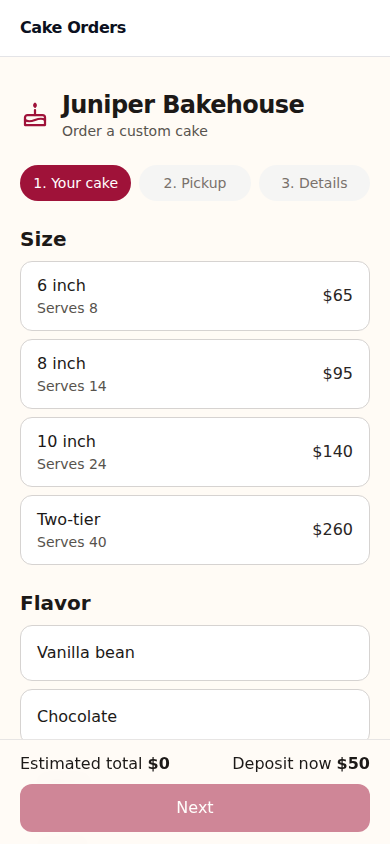
We built a public order page with three short steps: choose size, flavor and filling, pick a pickup date and time, then enter details. A running estimated total and deposit are shown throughout. The date picker greys out closed days and anything inside the minimum notice, and a time select keeps pickups within the pickup window. Customers can add an optional inspiration photo and a cake message of up to 40 characters, and a honeypot field helps filter out spam. Deposits are paid through Stripe Checkout on the owner's own connected Stripe account. If Stripe is not connected, the order is saved and notes that the deposit will be collected at pickup. A confirmation page, opened by order id and signed token, checks the Stripe session and marks the deposit paid if the webhook is slow. A webhook handler named stripe-webhook marks each order deposit paid once and sends the customer email, an optional text, and an owner email. The owner signs in with a magic link and sees a dashboard grouped by pickup day, with deposit and order status pills, Mark ready, Picked up and Cancel actions, filters, and banners for connecting Stripe and Twilio. Owner settings cover bakery details, deposit, notice rules, pickup hours, and an editable menu of sizes, flavors, fillings and extras, plus a Connected accounts link with status. Customer and owner emails are included. Texts go through the owner's own Twilio account and are sent only for deposit and ready. A daily schedule sends one pickup reminder per order and a tomorrow's pickups email to the owner. A demo mode loads sample data for a fictional bakery (10 upcoming orders in a mix of statuses and 2 recent picked-up orders), shows a note that it is a demo, and offers a Pretend the deposit was paid button that appears only in demo.
Outcome
The bakery can take cake orders through one page that only offers valid pickup dates and times, shows the estimated total and deposit, and collects the deposit through its own Stripe account. If Stripe is not connected, orders are still saved with the deposit noted for pickup. The owner can see upcoming orders by pickup day, track deposit and order status, mark orders ready, picked up or cancelled, and change the menu, hours and notice rules without help. Customers get confirmations, ready notices and pickup reminders automatically, and the owner gets a daily email listing tomorrow's pickups.